
Checks on a schedule
Each site has its own interval (10 seconds to an hour), timeout, expected status code, and optional request headers. Checks run inside the Vigil service itself, so there is no separate worker to keep alive.
Vigil polls the health endpoints and websites you give it, records every answer, and opens an incident the moment a check fails. A scanner crawls any site for broken links.
Vigil checks, records, and tells you. These are the things it does today.
Each site has its own interval (10 seconds to an hour), timeout, expected status code, and optional request headers. Checks run inside the Vigil service itself, so there is no separate worker to keep alive.
If the endpoint answers with JSON that has a status of healthy, degraded, or unhealthy, Vigil uses it. Otherwise a response with the expected status counts as healthy, and anything else as down.
Every check is stored as healthy, degraded, unhealthy, timeout, or error. The dashboard shows them as healthy, degraded, and down.
24 hours comes from the raw checks. 7, 30, and 90 days come from daily summaries that Vigil builds itself. A degraded check counts as up.
Every check keeps its response time. A site's panel charts it over 1 hour, 6 hours, 24 hours, 7 days, or 30 days, with a 95th-percentile line.
API services, front-end apps, and websites each get their own group on the dashboard. Websites and front ends can be scanned; APIs cannot.
The first check that comes back unhealthy, timed out, or errored opens an incident; the first one that does not closes it and records how long it lasted. A degraded site never opens one.
While any site is down, a banner counts them and an alarm sounds, repeating every 30 seconds. A chime plays when everything recovers. The header mutes the alarm, and the choice is saved.
An incident takes severity (minor, major, critical, or maintenance), a public title, and posted updates marked investigating, identified, monitoring, or resolved. Posting resolved closes it.
Point one setting at a Chirp channel webhook and Vigil posts when a site goes down or recovers, when one flaps (three incidents in 30 minutes), and when one has been degraded for five checks in a row.
Check results and incident changes are pushed to every open dashboard over a WebSocket, which reconnects on its own. The dashboard also paints at once from the browser's cache when you reload.
A site shows on the public status API only when an operator turns that on for it. The feed carries a name, a description, status, and uptime, and never a URL, header, or error message.
The scanner starts at the site's address, follows same-site links breadth-first, obeys robots.txt unless told not to, and keeps to a rate you set (0.5 to 20 requests a second). Tracking parameters are stripped from URLs.
Every internal link that errors, and every external link it can check, is listed with its status code.
Missing or badly sized titles and descriptions, pages with almost no text, a footer that differs from the rest of the site, pages that duplicate each other, and broken links.
The pages the crawl found, drawn as a tree or as a graph of how they link.
The previous scan is kept for 14 days. The Diff tab lists pages added, removed, and changed, and shows the text change for any page.
A lock keeps a site to one running scan. A scan can be canceled, and one that runs for an hour is stopped.
Real captures of the running tool, with fictional StrataForge Robotics data. They follow your theme.
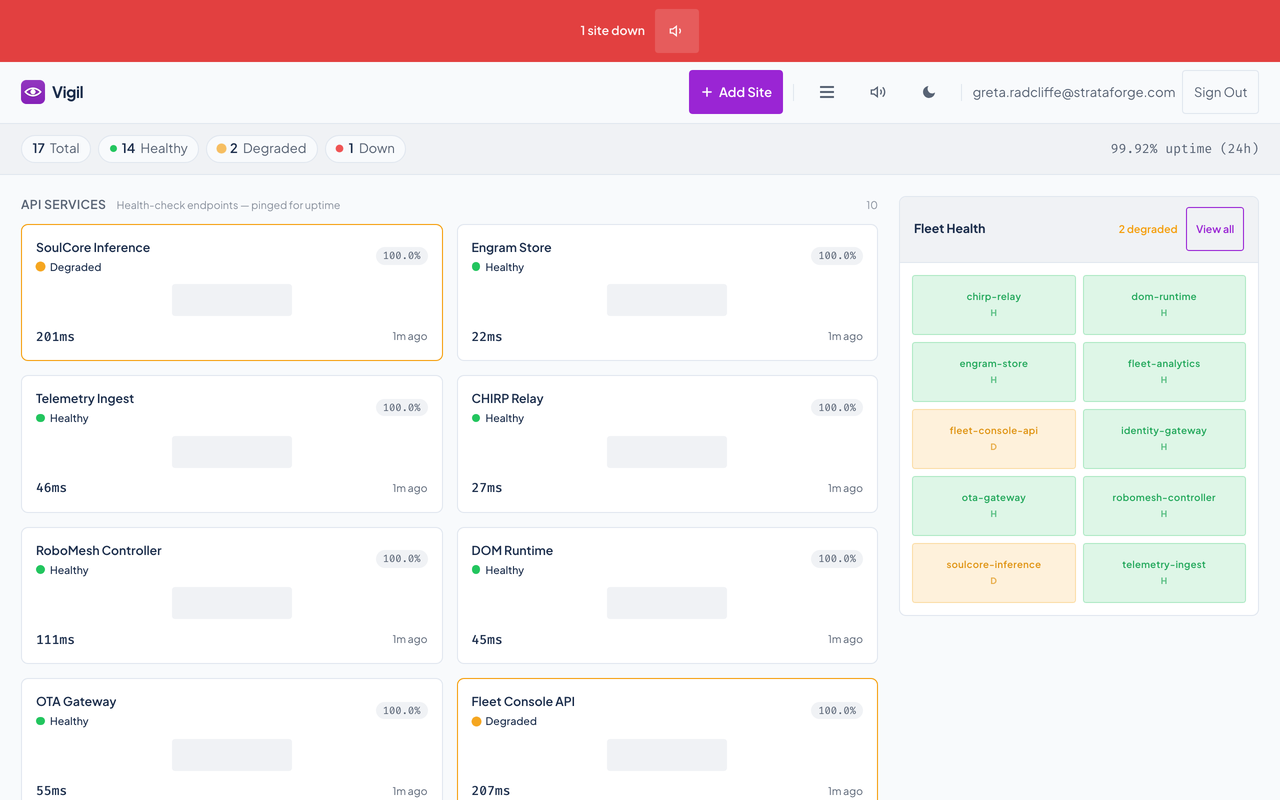
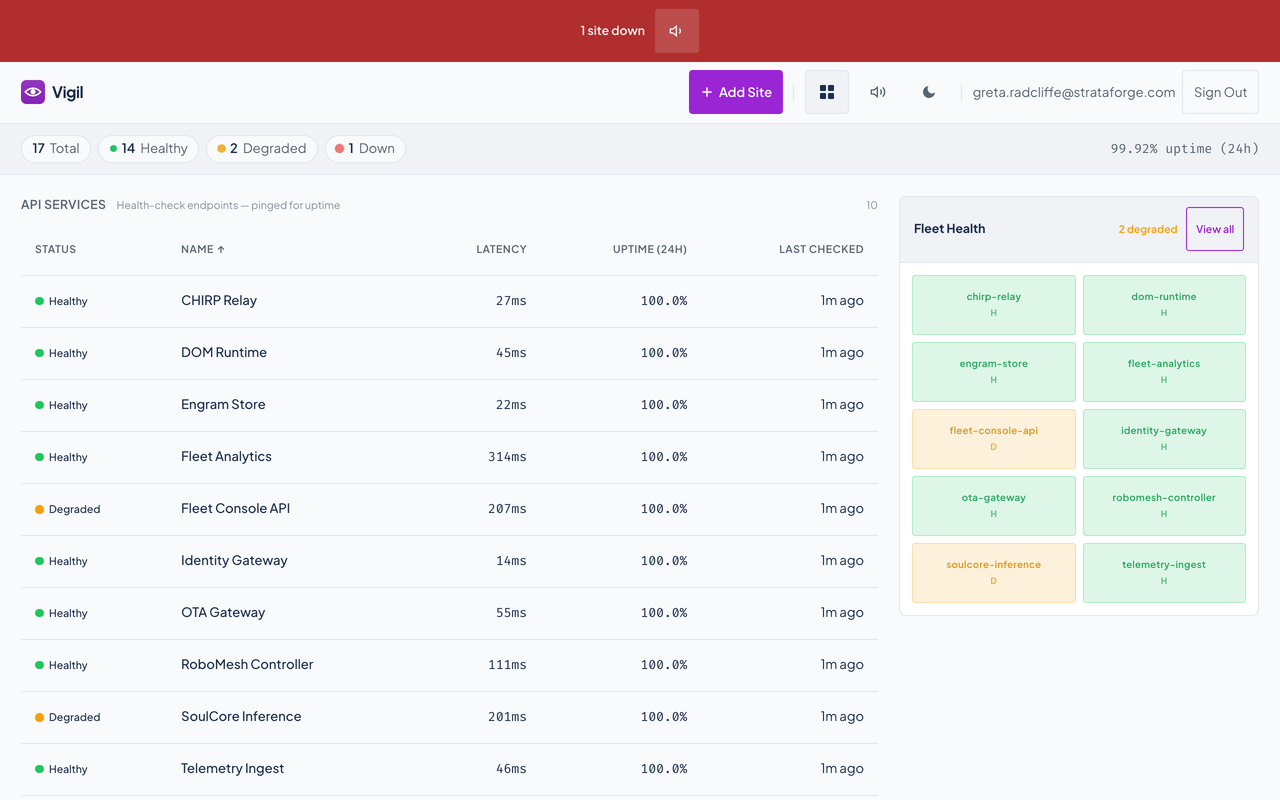
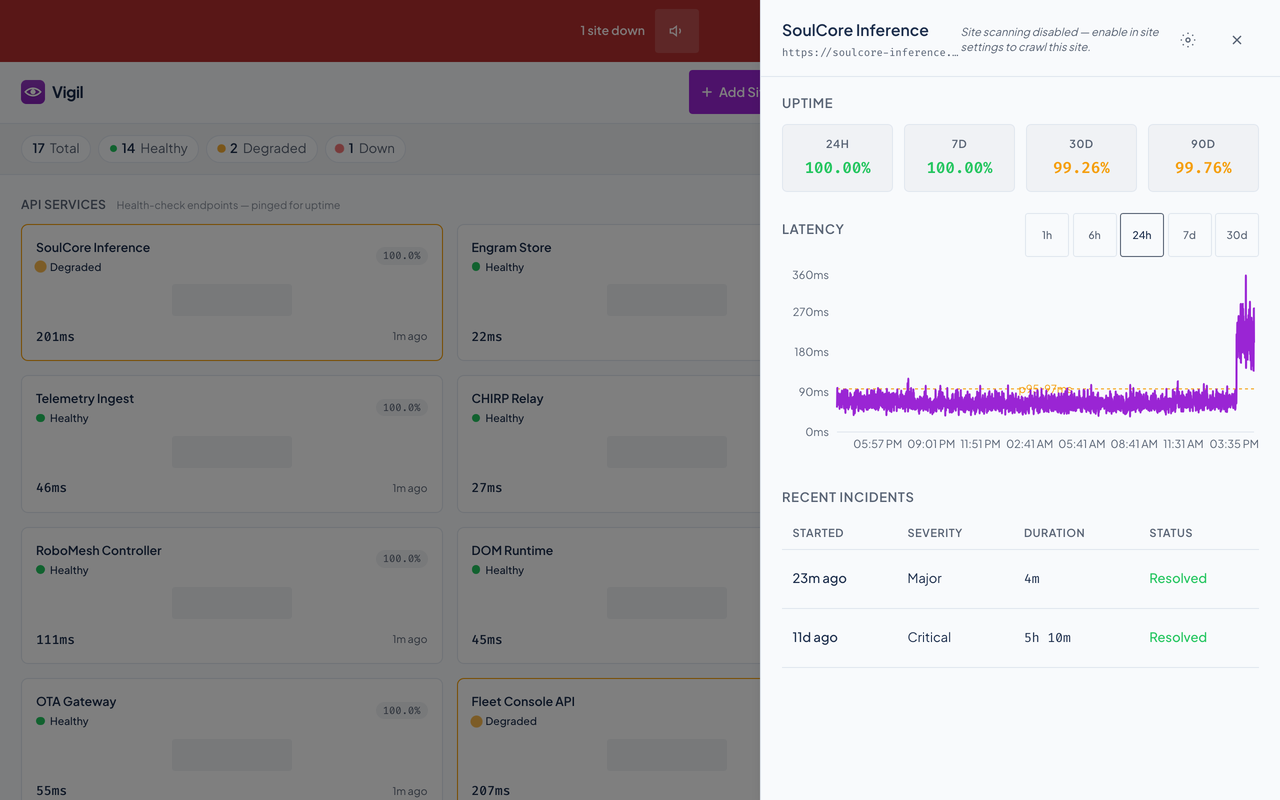
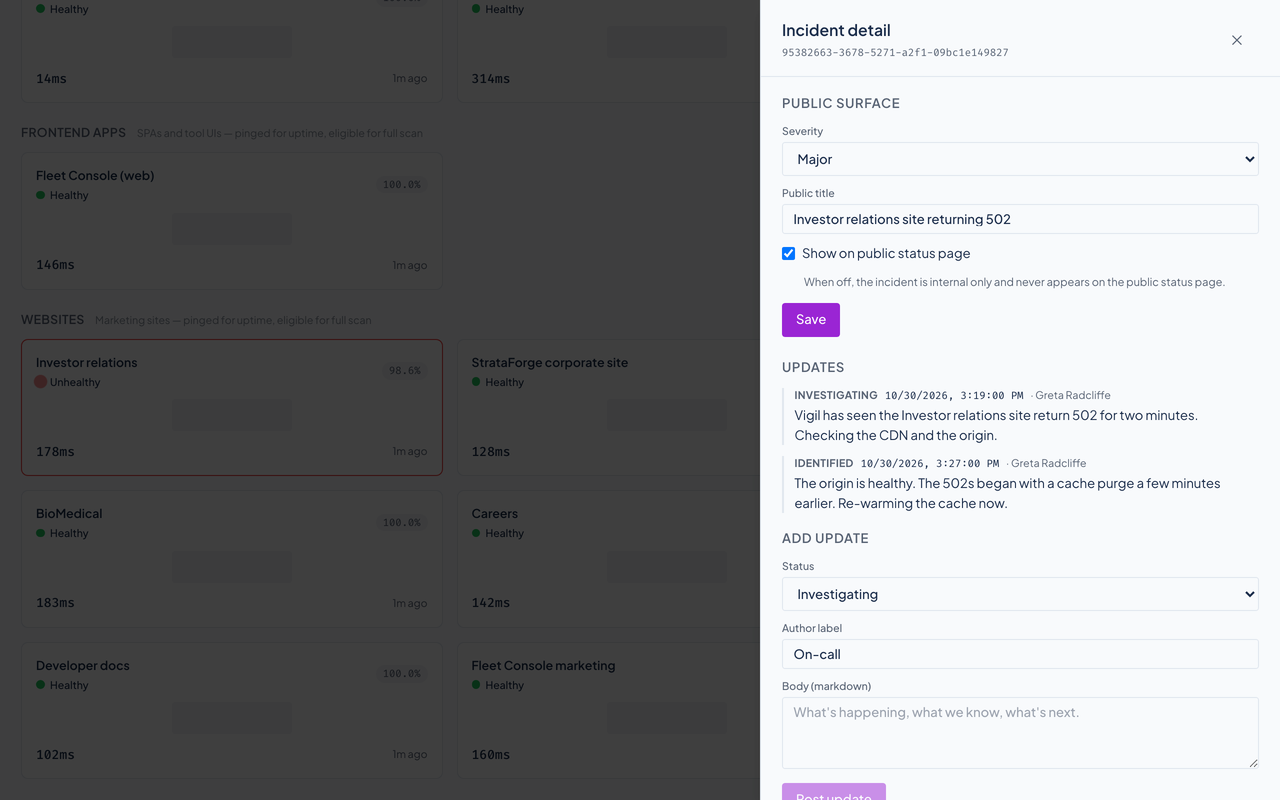
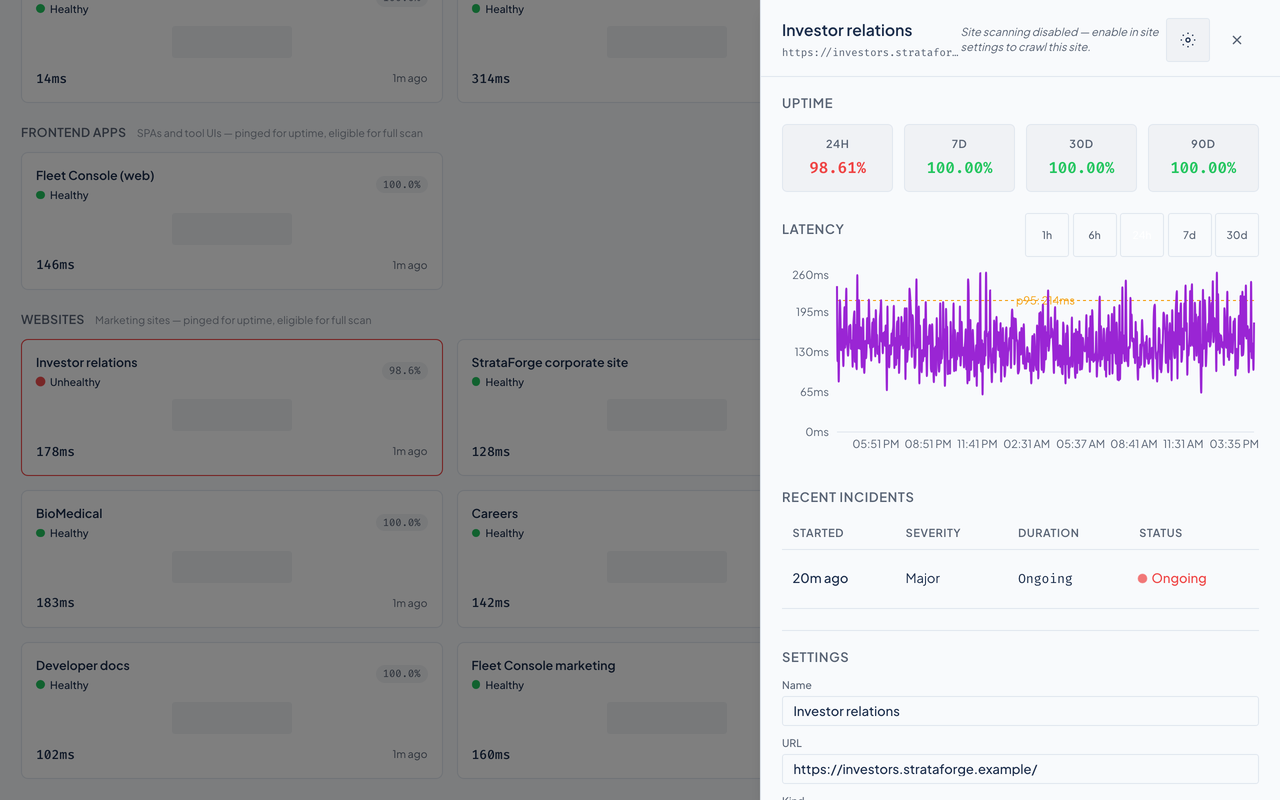
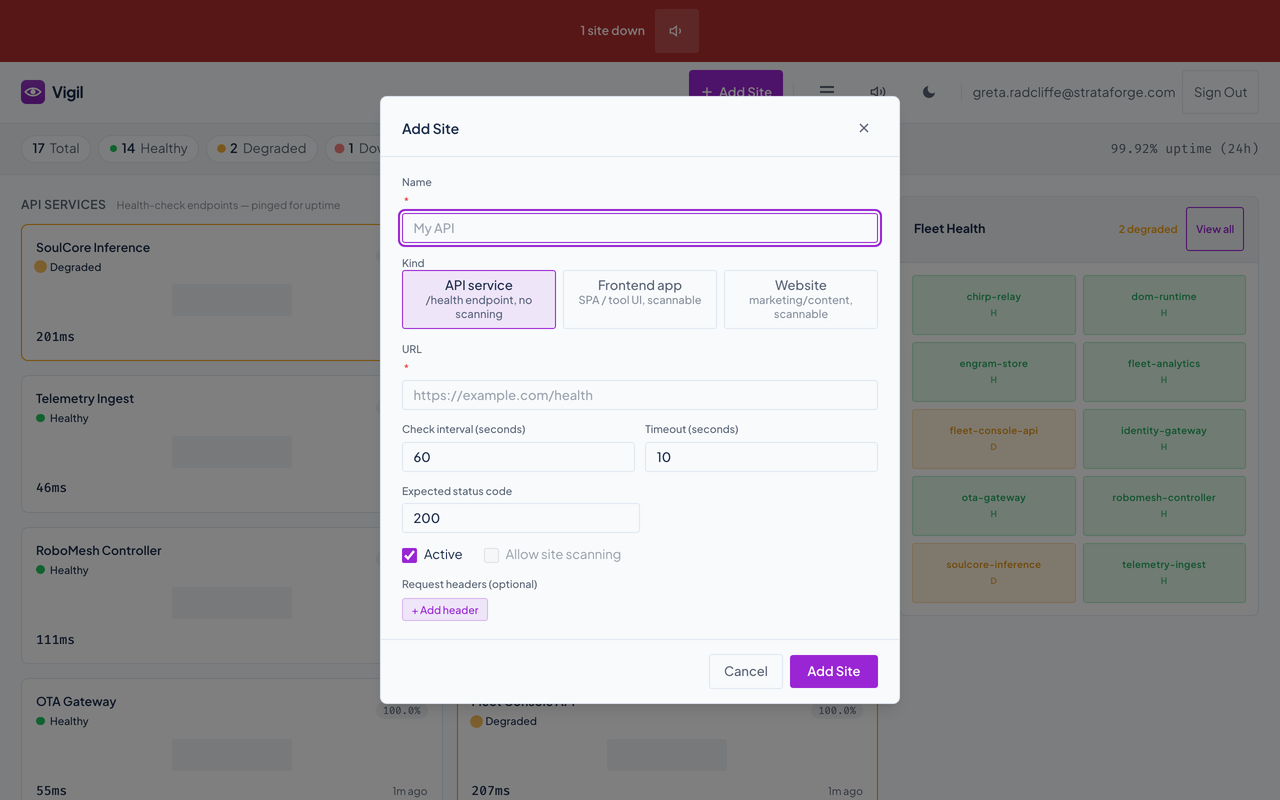
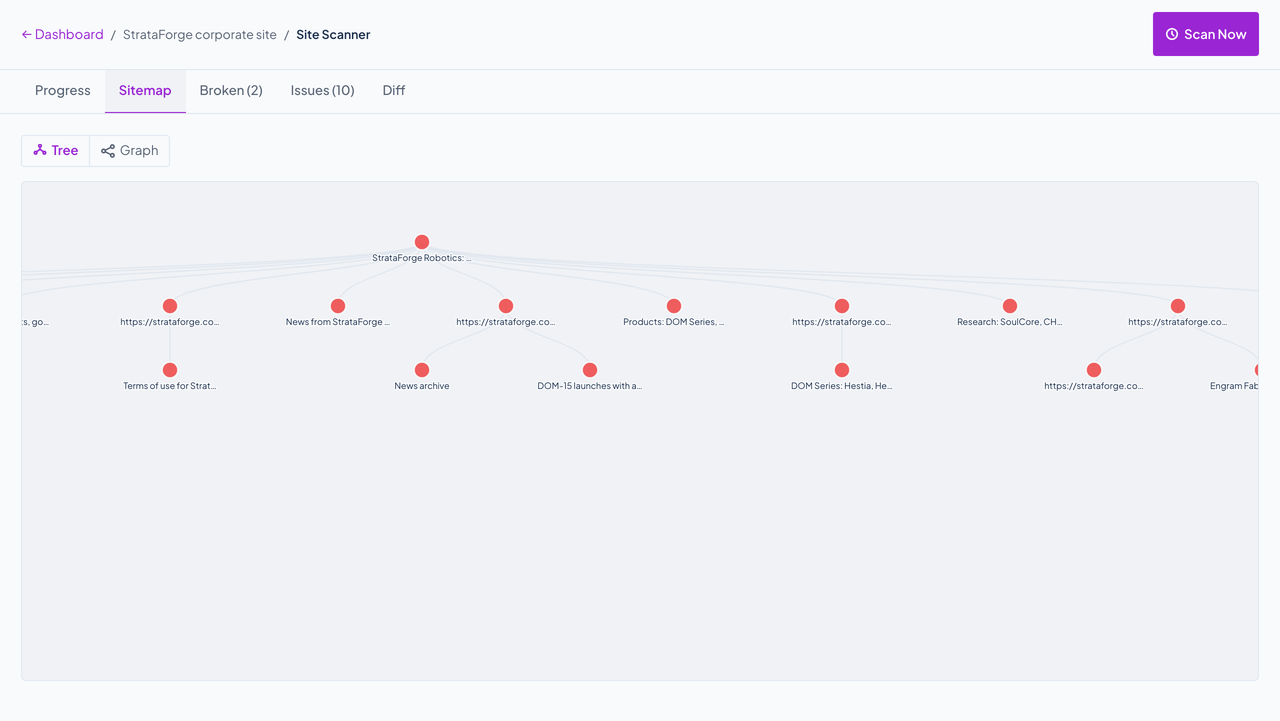
Give it a name, a kind, a URL, how often to check, and what a healthy answer looks like.
On its schedule Vigil requests the URL and records the status, the time it took, and any health report in the body.
A down result opens an incident, sounds the alarm, and tells every open dashboard. A degraded result is recorded and shown, and nothing opens.
The first good check closes the incident, records its length, and clears the banner. Uptime updates on the next read.
Vigil is built with a skip link, landmarks, live regions for the alarm and for loading, and a visible focus ring, and it has one automated accessibility test. We read the code for the gaps below on 10/29/2026 and fixed one of them (the incident dialog was hidden from assistive technology). Nobody has used it with a screen reader, and we do not claim a WCAG conformance level.
Partly supported
A skip link jumps to the main content, focus shows a 2 pixel outline, Escape closes the add-site, scan, page-detail, site-detail, and incident dialogs, and cards are focusable buttons. List rows, incident rows, and sortable column headers can only be used with a mouse.
Partly supported
Pages use a main landmark, a labeled region for each group of sites, and live regions (role alert on the alarm banner and on errors, role status on loading and scan progress). The incident dialog used to sit inside an element hidden from assistive technology; that is fixed and tested. The site panel is not announced as a dialog, the latency chart has no text alternative, and the sparkline is decorative.
Not yet tested
Contrast was not measured on the screens with data in either theme.
Partly supported
The design system's stylesheet shortens CSS animation and transition durations when the reduced-motion setting is on. Motion done in JavaScript (cards and panels sliding in) does not follow that setting yet.
Not yet tested
Zoom and larger default text sizes were not tested.
Not yet tested
The layouts have mobile rules, but a phone-sized pass has not been done on the screens with data. Many controls are smaller than 44 pixels (the header icon buttons are about 28).
| Backend |
|
|---|---|
| Frontend |
|
| Monitoring |
|
| Scanner |
|
| Access |
|
| Stands in for | UptimeRobot, Pingdom |
Agents can add and change sites, read checks, uptime, and incidents, start and read scans, and read fleet diagnostics. Two of the tools are known to answer badly today: get_dashboard and get_fleet_health_summary.
list_sitesget_sitecreate_siteupdate_sitedelete_siteget_site_checksget_site_latencyget_site_incidentsget_site_uptimetrigger_checklist_incidentsget_incidentupdate_incidentget_dashboardget_settingsupdate_settingsstart_site_scanget_scan_statuscancel_scanget_sitemaplist_broken_linkslist_page_issuesget_scan_diffget_page_detailslist_scan_pagesget_page_text_diffcheck_service_healthget_diagnosticsget_tool_diagnosticsget_fleet_health_summarylist_fleet_toolsadd_fleet_toolremove_fleet_toolrefresh_fleet_toolsget_fleet_diagnostics_summaryget_fleet_tool_diagnostics_reportNo. It checks status codes and, when the endpoint sends one, a health report, from one place. It does not read certificates, assert on page content, probe from several regions, or send email or SMS.
The endpoint says so. A health report with a degraded status is shown as degraded. Vigil does not decide that from how slow the answer was.
It is shown in amber and counted, but it opens no incident and sounds no alarm. After five degraded checks in a row Vigil can post one Chirp alert.
There is no acknowledge step. You can post updates and change the severity and public title, and posting a resolved update closes the incident.
Vigil is the Renkara fleet's own monitor. For anything else, write to contact@renkara.com.
Write to Renkara Media Group and a person will answer.