Tour

Every screen, in light and dark.

Each image below is a real capture of Vigil running locally against fictional data for StrataForge Robotics, a made-up company. Nothing was probed: the monitored sites are fictional, and the results were seeded. Switch the site theme and the screenshots follow.
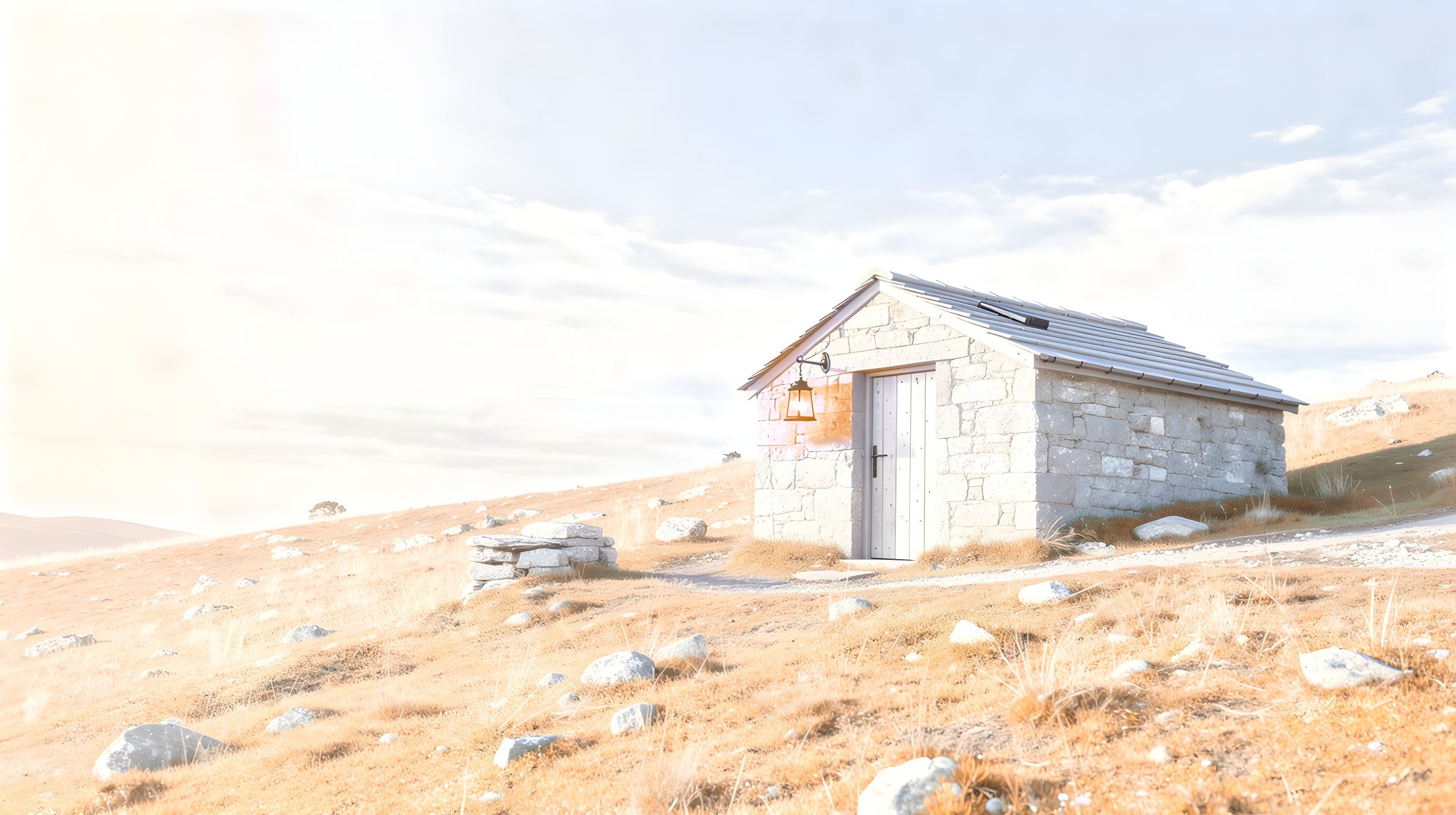
Illustration: a small stone shepherd hut on a moonlit hillside, a lantern glowing at its door under a starry sky.

Dashboard

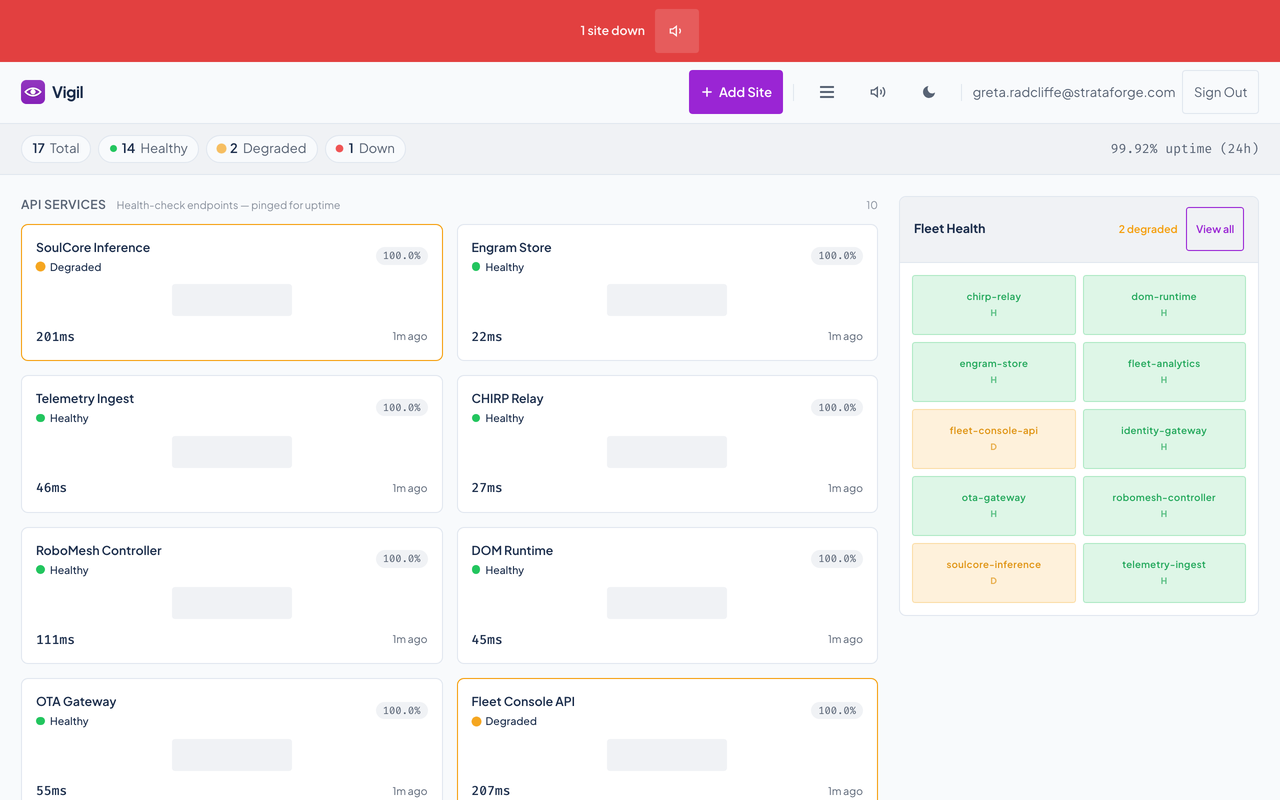
Vigil's dashboard with a red banner, status counts, site cards, and a Fleet Health panel.Vigil's dashboard with a red banner, status counts, site cards, and a Fleet Health panel.
Every monitored site in three groups (API services, front-end apps, and websites), with a banner and an alarm while any is down, status counts, and a Fleet Health panel. Enlarge to see the full screen.

List view

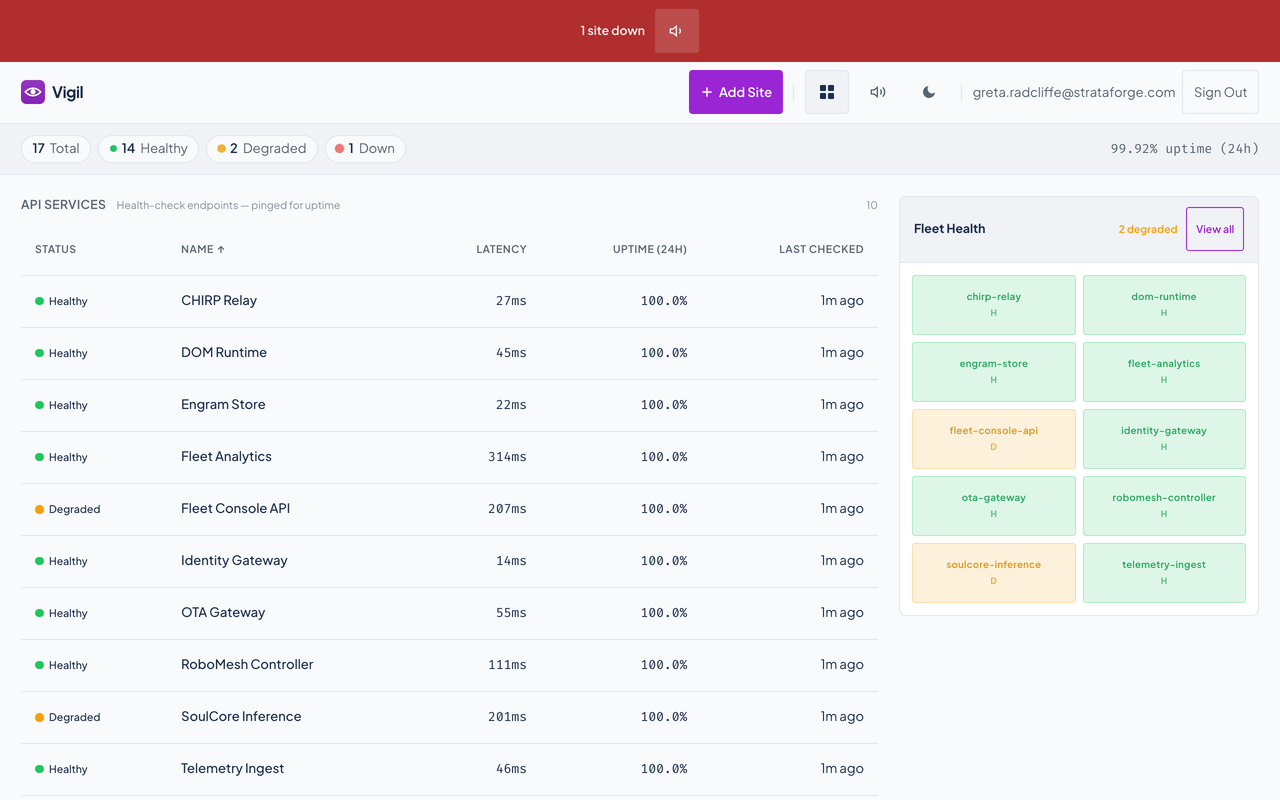
Vigil's list view: a sortable table of monitored sites.Vigil's list view: a sortable table of monitored sites.
The same sites as a table, sortable by status, name, latency, uptime, or last check. The choice of card or list is remembered. Enlarge to see the full screen.

One site

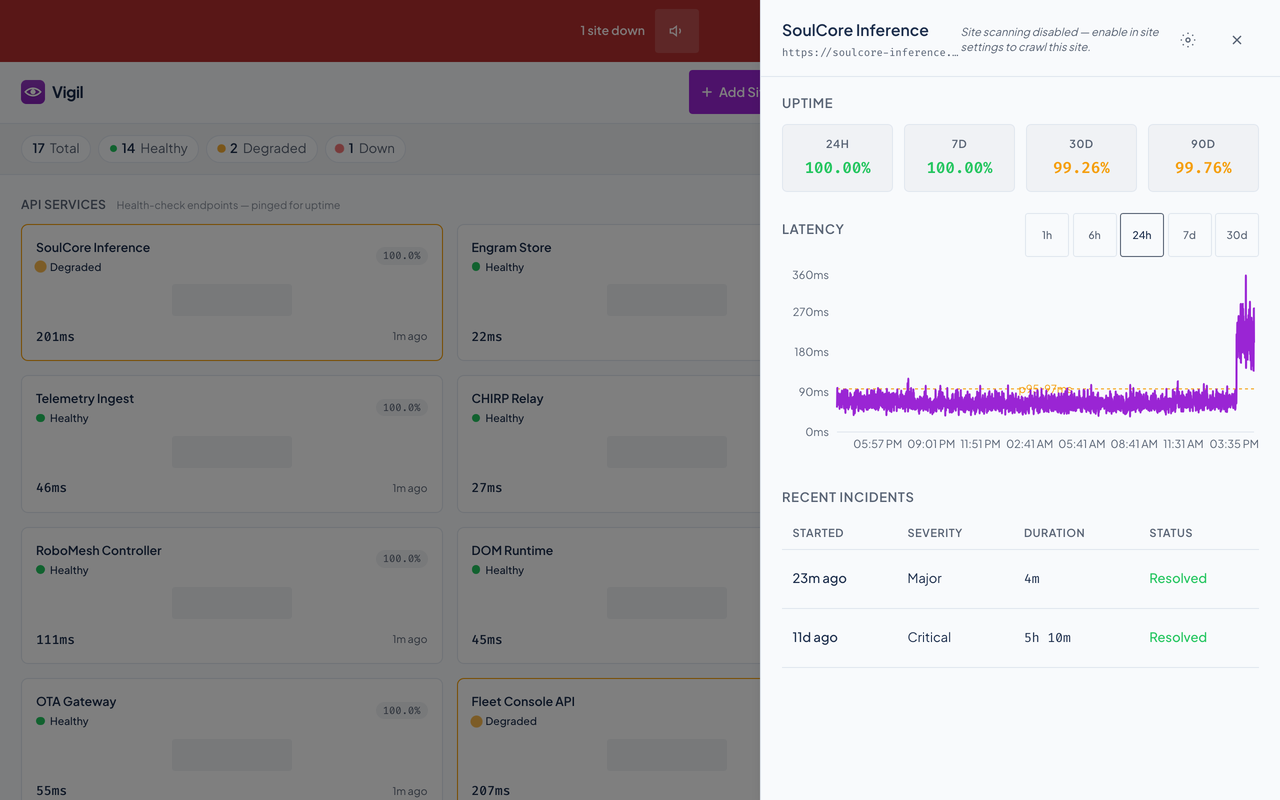
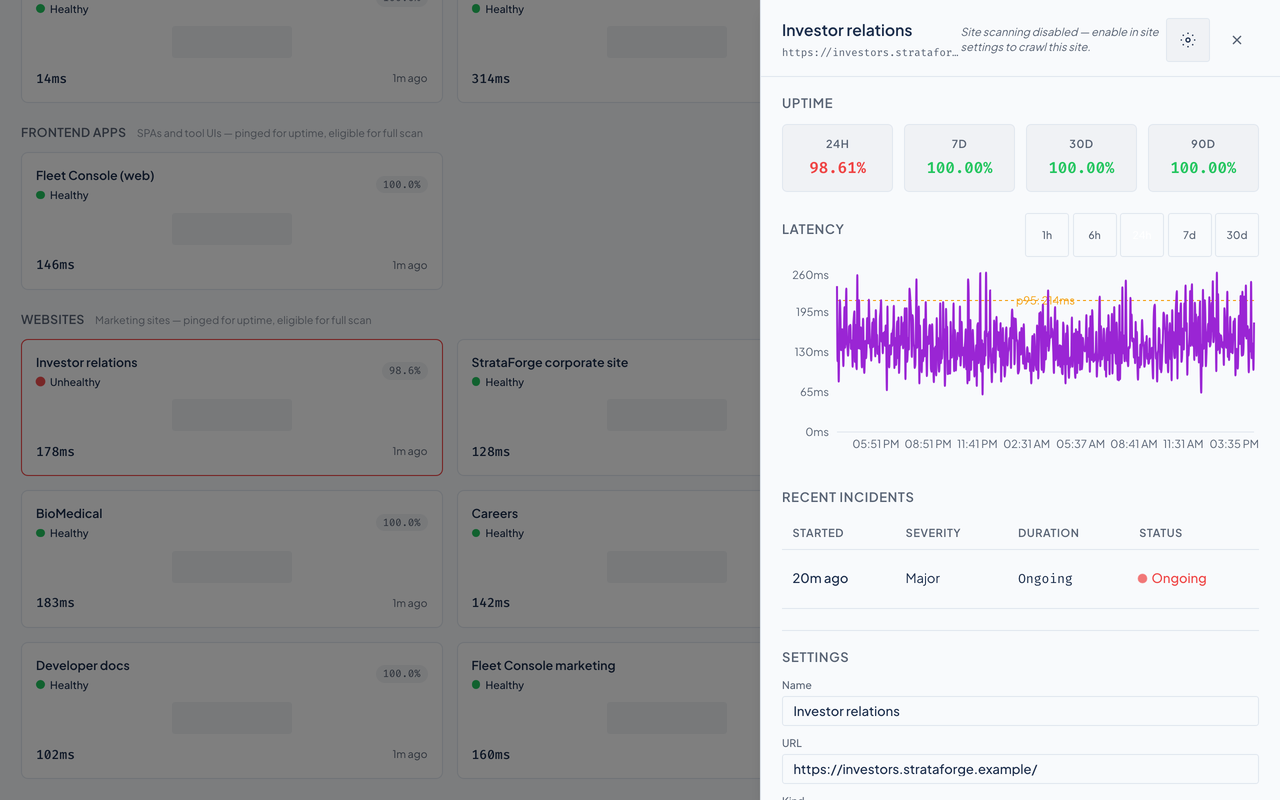
Vigil's site panel with uptime tiles, a latency chart, and recent incidents.Vigil's site panel with uptime tiles, a latency chart, and recent incidents.
Uptime over 24 hours, 7, 30, and 90 days, a latency chart with a 95th-percentile line and five time ranges, and the site's recent incidents. Enlarge to see the full screen.

An incident

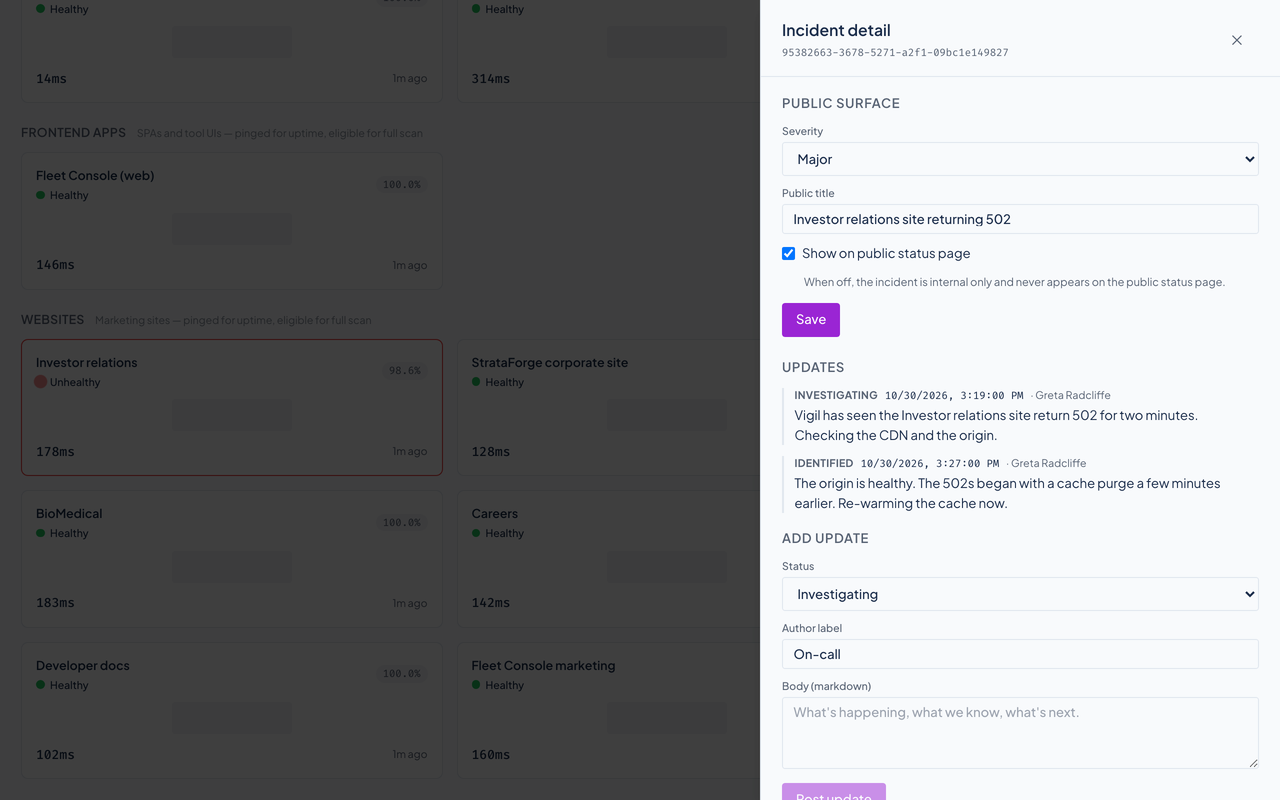
Vigil's incident dialog with severity and a timeline of updates.Vigil's incident dialog with severity and a timeline of updates.
Severity, a public title, whether it shows on the public status feed, and the updates posted so far. Enlarge to see the full screen.

Site settings

Vigil's site settings form for one monitored site.Vigil's site settings form for one monitored site.
Interval, timeout, expected status, whether scanning is allowed, and the fields for the public status feed. Enlarge to see the full screen.

Add a site

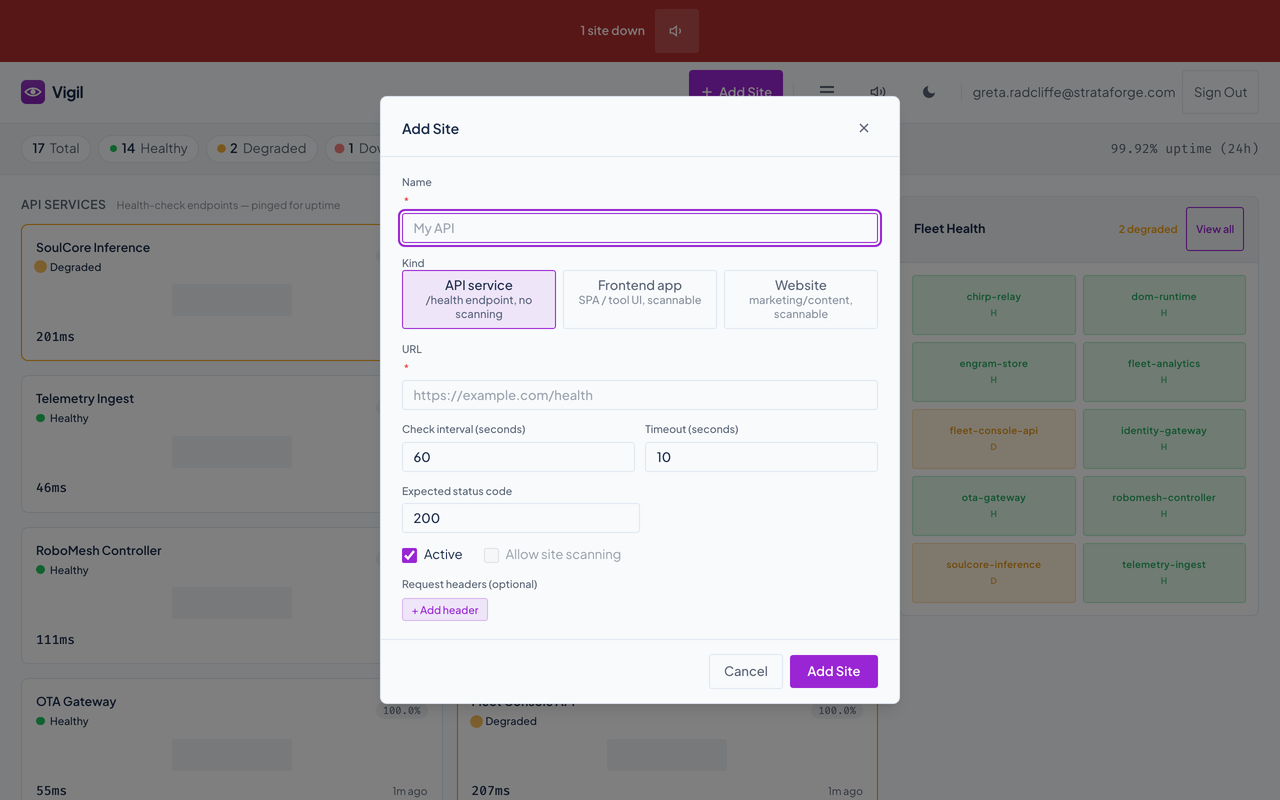
Vigil's add-site dialog with its fields.Vigil's add-site dialog with its fields.
A name, a kind, a URL, how often to check, how long to wait, the status to expect, and any headers. Enlarge to see the full screen.

Sitemap

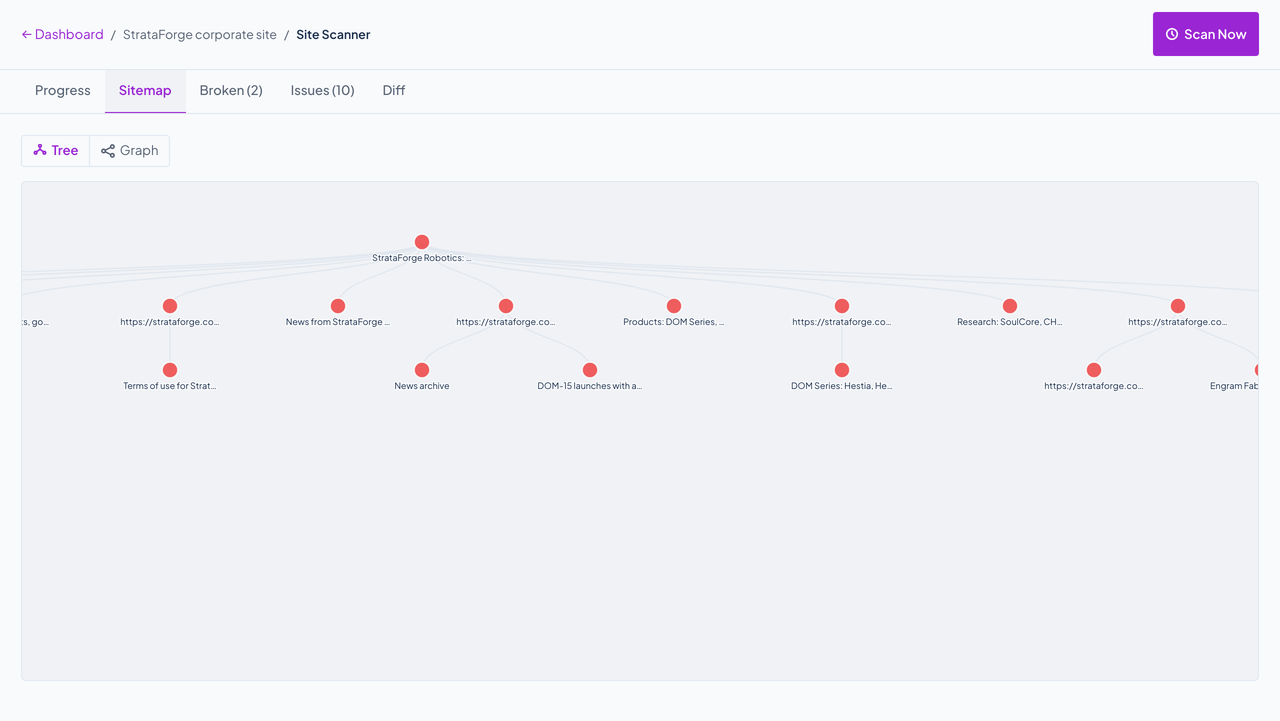
Vigil's scanner sitemap drawn as a tree.Vigil's scanner sitemap drawn as a tree.
The pages the crawl found, as a tree or a graph. Enlarge to see the full screen.

Broken links

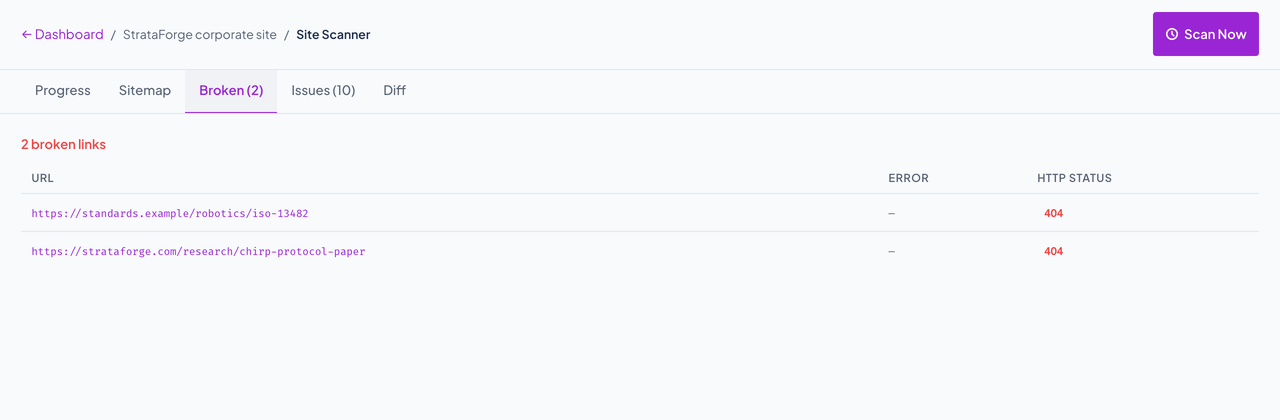
Vigil's list of broken links with status codes.Vigil's list of broken links with status codes.
Every internal and external link that failed, with its status code. Enlarge to see the full screen.

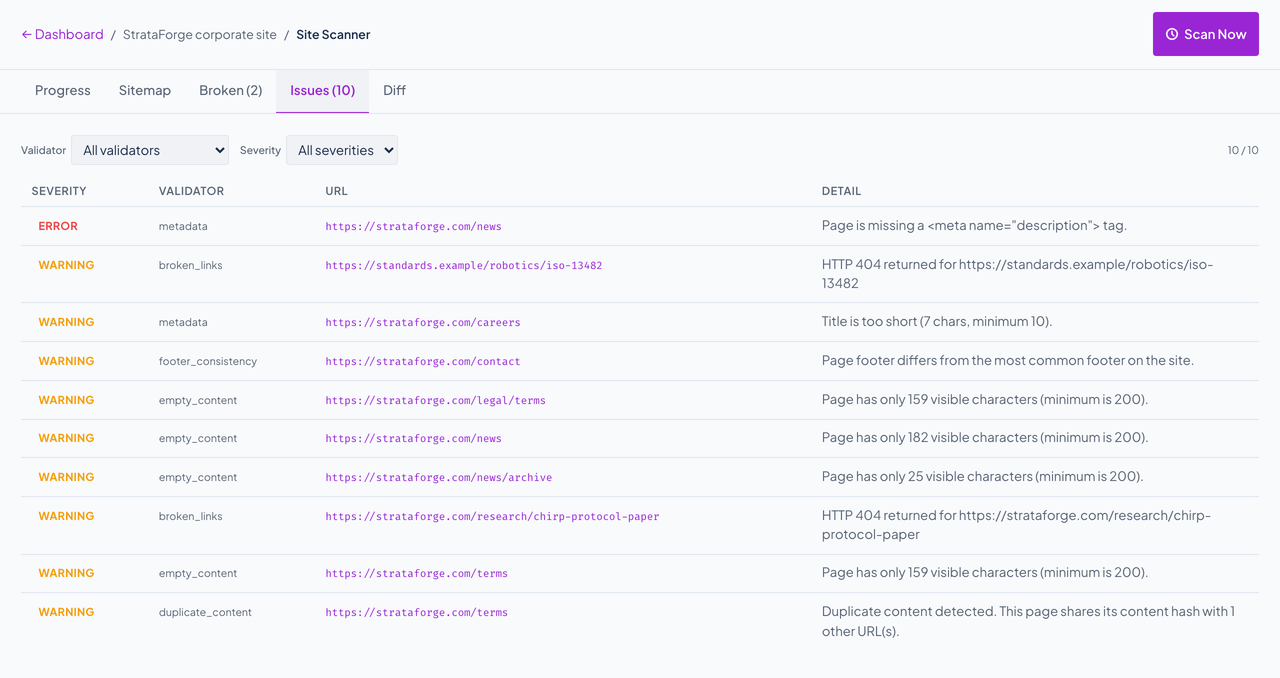
Issues

Vigil's list of page issues by severity.Vigil's list of page issues by severity.
What the page checks found, by checker and severity.

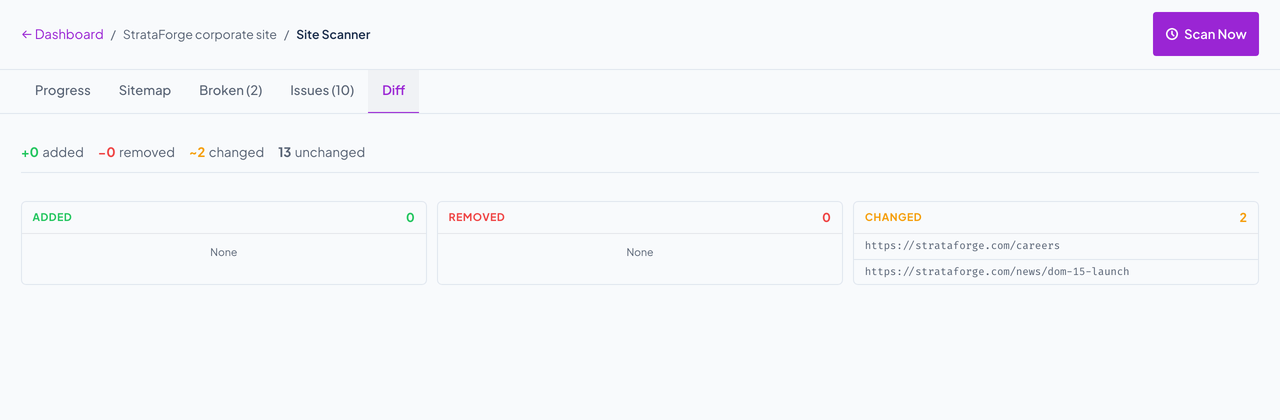
Diff

Vigil's scan diff listing pages added, removed, and changed.Vigil's scan diff listing pages added, removed, and changed.
Pages added, removed, and changed since the previous scan.